
From the navigation menu, select Other functionalities→ Folios - Advanced Search;After preparing your group folios, the next step is to summarise all the services in them. You can transfer the services manually to the respective group folio, but Clock PMS+ provides you with several tools to automatically transfer booking charges to group company folios of events.
Automatic Routing Options
The system offers two approaches for automatically routing charges to folios – configurable rules (routers), which allow for flexible logic and coverage of various business scenarios, and fixed methods, which operate according to pre-defined behaviour.
Rules for automatic charge routing (Routers)
Routers allow full configuration of the charge distribution logic even before the booking is created. Through them you can define:
- which charges are routed to whom (Guest, Company, Agent, Event);
- in which folio the charges are reflected;
- how invoices are grouped or split;
- who is responsible for the payment.
Routers are suitable for a wide range of real-world scenarios, where the charge distribution logic cannot be described by a single universal rule. In practice, this often includes combinations of different payers, separation of package and additional services, specific invoicing requirements, or the need for exceptions in certain cases. Thanks to their flexible structure, routers allow these cases to be described once through rules and then applied automatically and consistently for each booking.
Fixed methods for automatic routing
Fixed methods route only the charges generated by the rate. They operate according to pre-set logic and do not require additional configuration. They are suitable for simpler cases, where the distribution of charges follows a clear and unambiguous pattern. The following fixed methods are supported:
- Transfer to default Company/Event/Agent folio - it is the only option you can use to automatically transfer booking charges to the main folio of a given event. With this method, the charges from all bookings are always summarised in one main folio of the company or the event, and there is no option to choose among the rest of the open folios, if any.
- Transfer to Company/Agent folio - this method allows you to flexibly manage group folios, as you can specify the destination folio for the charges of each booking. The transfer is automatically made with the selection of the group folio in the booking.
- Split by Company/Agent - this method allows you to automatically transfer the charges to the group folio with the booking checkout. Up to this point, they are kept in the booking, being separated in a special folio whose payer is the company to which they will be invoiced.
You can use each of the methods depending on your workflow. Please check out the respective articles to learn how to use the fixed methods for routing of charges.
Manual Transfer of Charges
In addition to the automatic routing options, if needed, you can use the manual charge transfer function enabling you to also select not only a booking folio, but also a company or event folio as a destination for the charges.
Bulk Transfer to a Company Folio
To make your work as easy as possible, the system allows you to transfer charges from multiple bookings to a single company (group) folio at once.
Follow these steps:
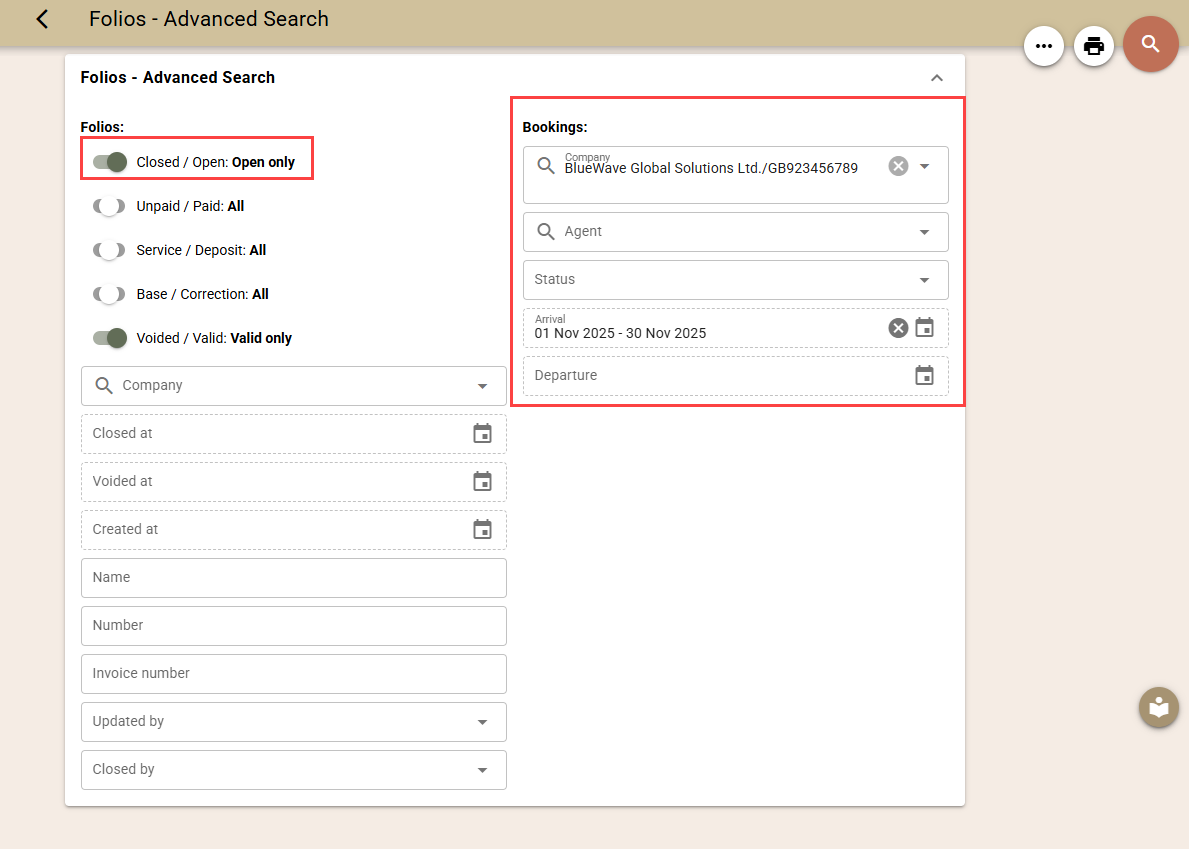
- From the navigation menu, select Other functionalities→ Folios - Advanced Search;
- Enter search criteria for booking folios – select only open folios, specify the Company, select the bookings, and the period of arrival or departure.;
- Load the list.
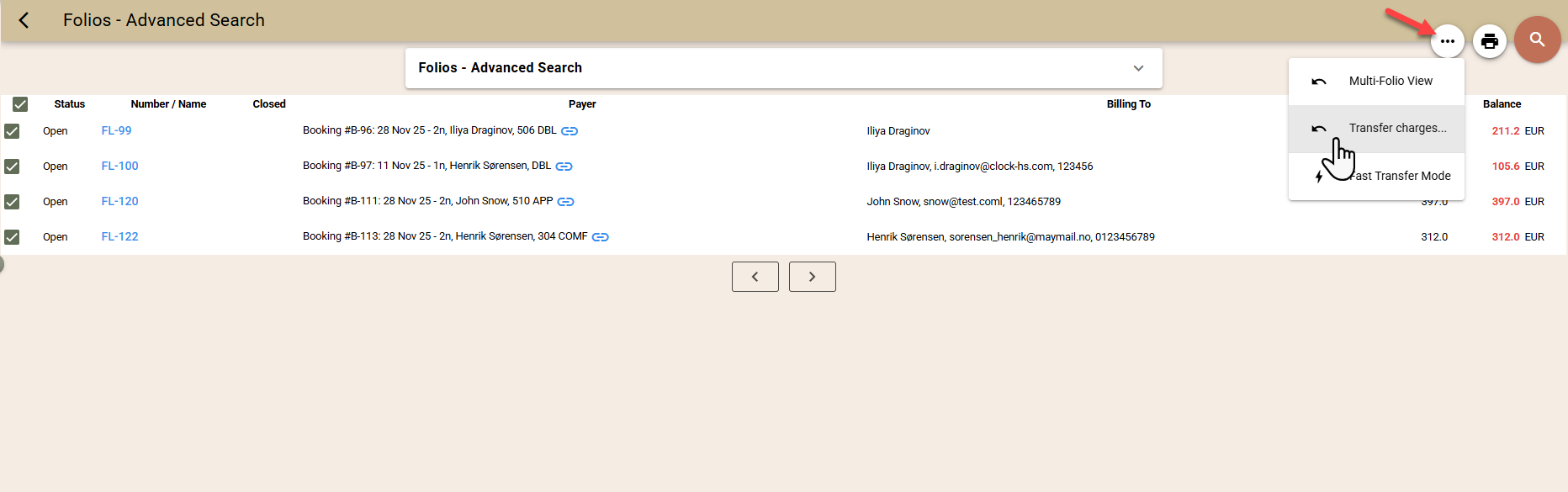
- Select the folio and choose ... → Transfer charges.
- Use the filters (1) to specify which charges should be transferred.
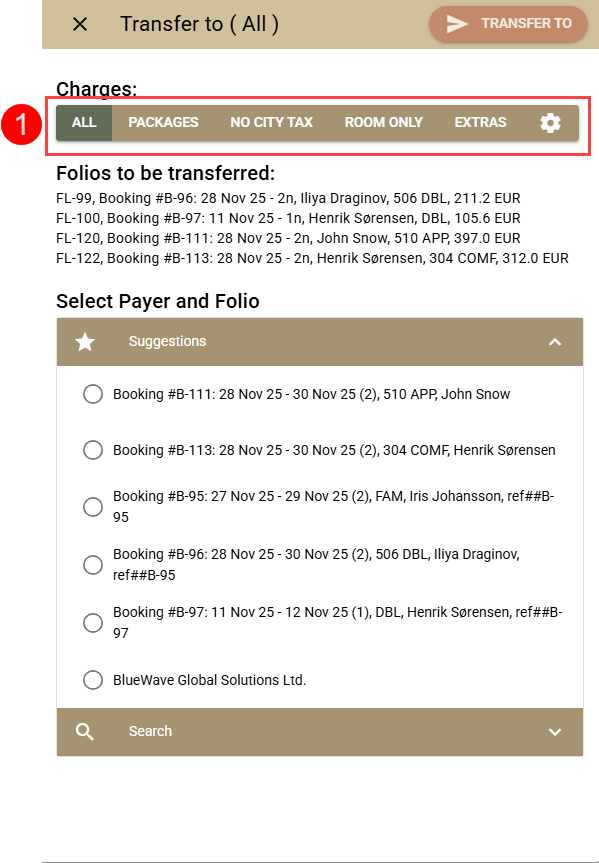
- Select a receiving folio:
- If you see the company profile in the list of suggestions (2), select it directly, or use the search option (3) to find it.
- If you already have an already prepared company folio, you can select it from the list of available foils (5).
- If you do not yet have a folio, create a new one (4) to which the charges from the selected reservation folios will be transferred.
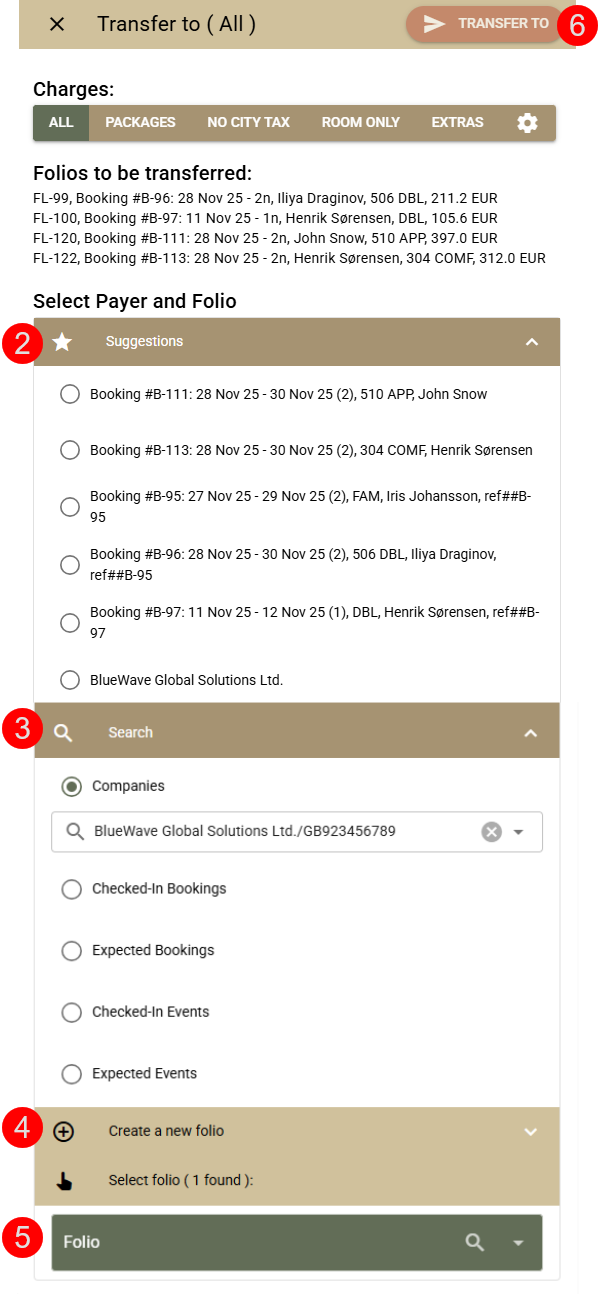
- Confirm the transfer through the "Transfer to" button (6).